
Your office fits in your pocket.
CRM, calls, calendar, deals and AI agent control – all live on your iPhone or Android smartphone. No App Store download.
- iPhone & Android
- Real-time desktop sync
- Call directly from the app
- No App Store download
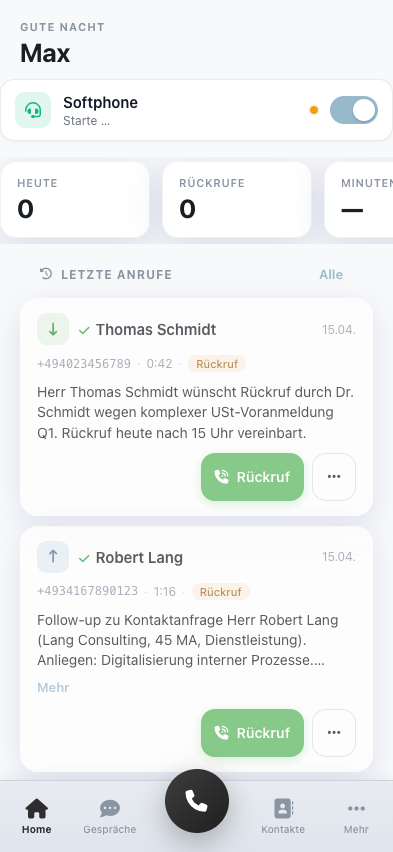
Everything you need on the go.
The voiceOne mobile app isn’t just the desktop squeezed onto a small screen – it’s designed from the ground up for your phone. Six screens that let you run your business from anywhere.
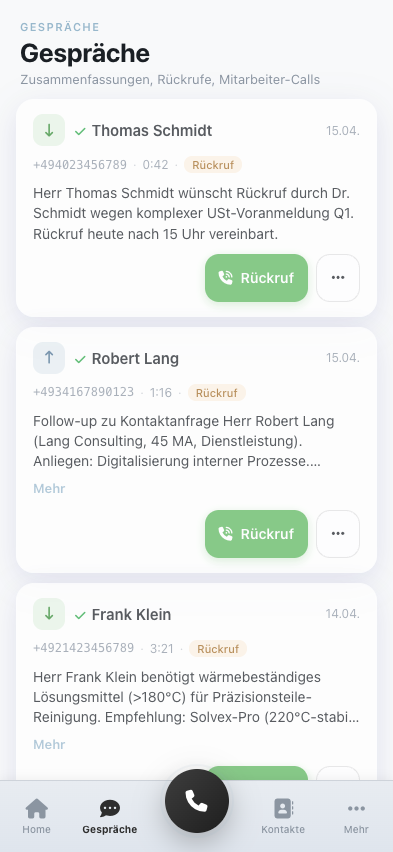
All conversations in view
Incoming, missed, outgoing – with duration, time and callback button. One tap and either the AI or you call back.
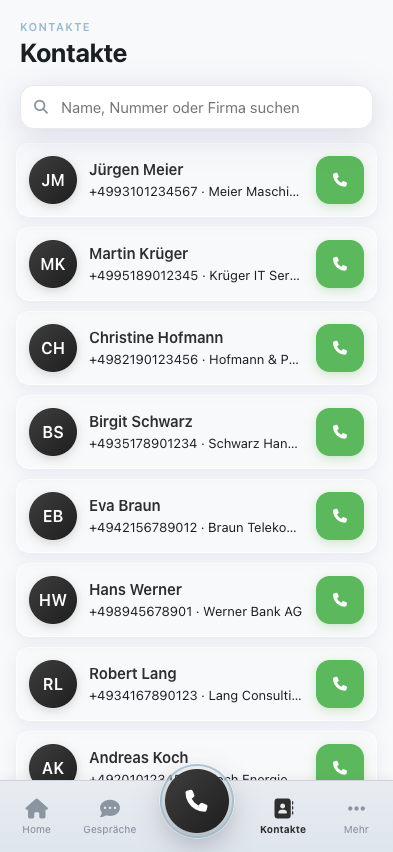
CRM in your pocket
Contacts, companies, last interaction and deal status. Add new contacts straight from your phone – fully synced with the desktop version.
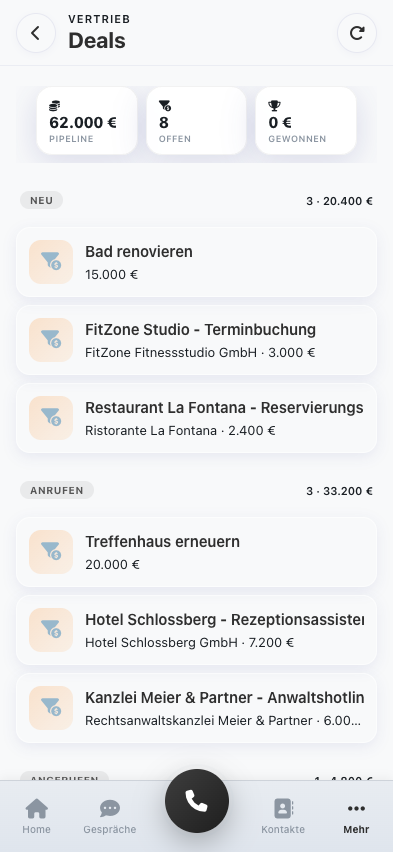
Deal pipeline always with you
Open pipeline value at a glance, stages from lead to won, every deal tappable for details. Selling is no longer tied to your desk.
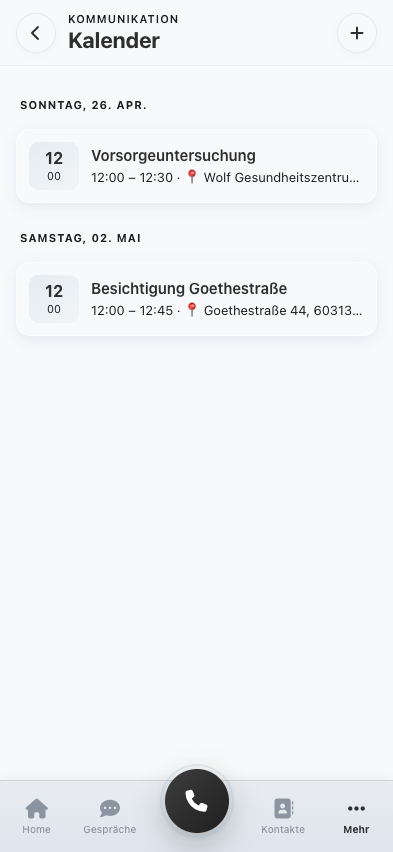
Appointments on hand
What the AI has booked, what you’ve created manually – everything in one view, synced in real time with Google Calendar.
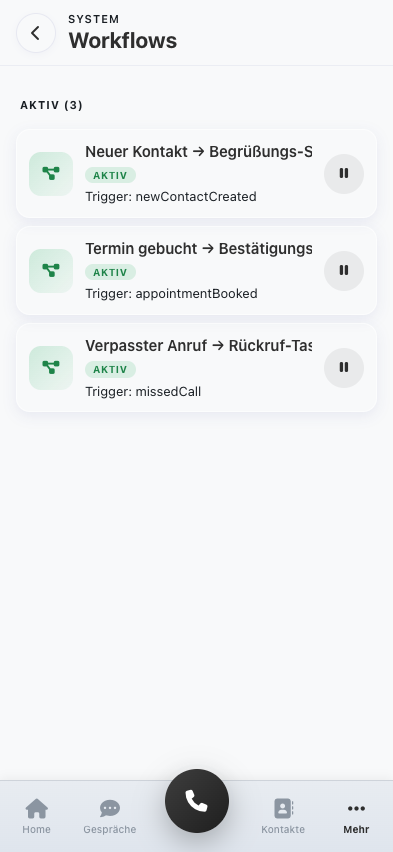
Automation under control
Workflows running in the background – welcome texts, confirmation emails, callback tasks. Pause and reactivate with a single tap.
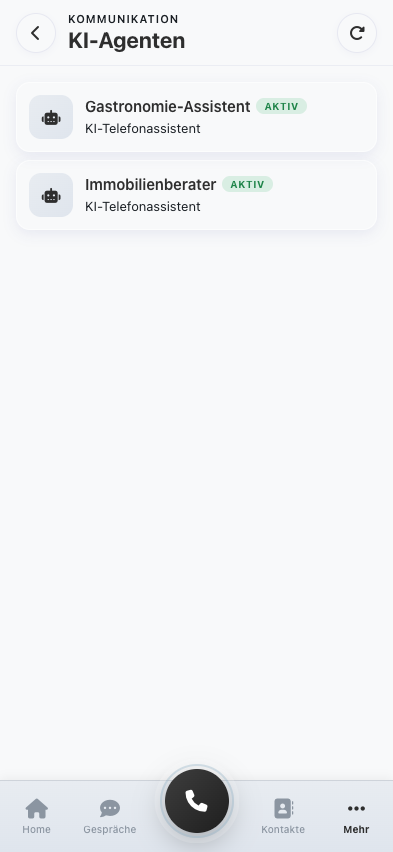
Control AI agents
Check your AI phone assistants right from your phone – see which one is active and which industry they’re assigned to. Turn them on and off without a desktop PC.
Install like an app – without the App Store.
voiceOne is a Progressive Web App (PWA). That means you open it once in your phone’s browser and add it to your home screen. No download from the App Store or Play Store. No waiting for approvals. Updates are automatic.
- 1Open app.voice-one.ai/m/ in Safari (iPhone) or Chrome (Android).
- 2iPhone: Share icon (square with arrow) → “Add to Home Screen”. Android: three-dot menu → “Install app”.
- 3Done. The voiceOne app now sits as an icon on your home screen and opens in full screen – just like any other app.
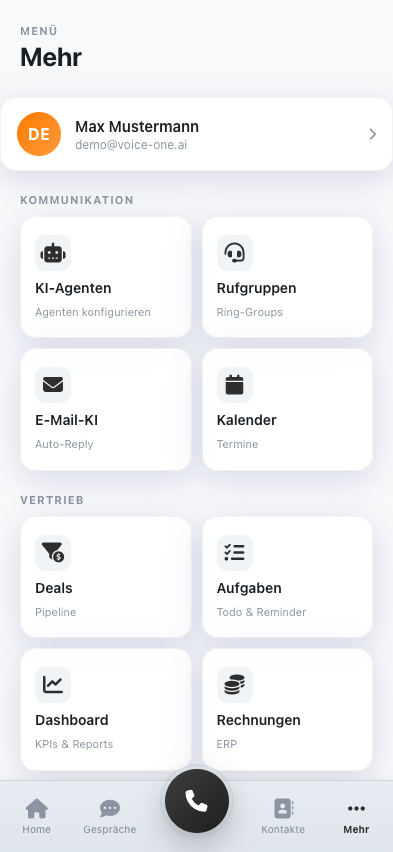
Real-time sync – the same data everywhere.
Instant sync
Changes you make on your phone show up on the desktop seconds later – and vice versa.
GDPR compliant
All data in German data centres. Encrypted transmission, certified infrastructure.
Softphone built in
Start, answer and transfer calls – all directly in the app, no extra software.
Team-ready
Multiple users with roles and permissions, each with personal access on their own device.
Frequently asked questions about the mobile app
Do I have to download the voiceOne app from the App Store?
No. voiceOne is a Progressive Web App (PWA). You open app.voice-one.ai/m/ in your phone’s browser and add the page to your home screen – that’s it. No App Store approvals, updates are automatic.
Does the mobile app work on iPhone and Android?
Yes. The PWA runs on iPhone (Safari), Android (Chrome/Firefox) and all desktop browsers. The interface adapts to the screen size, the features stay the same.
How much does the mobile app cost?
The mobile app is included free in every voiceOne plan – including the 14-day free trial. There’s no extra app fee and no in-app purchases.
Can I make and receive calls through the app?
Yes. The built-in softphone lets you make outbound calls directly from the app, return calls from the call list, and take over inbound calls from the AI – with a single tap.
Are my data synced with the desktop version?
Yes, all data – contacts, calls, appointments, deals, tasks, workflows – are synced in real time with your voiceOne account. What you see on your phone is instantly visible to colleagues on desktop.
What happens if I’m offline?
The app works in read mode (you can view already loaded data). New calls and changes are synced as soon as you’re back online.
Your business, now mobile.
Try it free for 14 days. Install it on your phone. And never miss a call again — no matter where you are.