
voiceOne · AI telephony, CRM and accounting in one system
Answered.Recorded.Invoiced.
The AI phone assistant that keeps working after you hang up.
voiceOne answers your calls, gives information and books appointments. Then your AI team creates the contact, enters the appointment and prepares quote and invoice – in the same system. All you do is approve.
Watch the presentation (2:52 min) or call our assistant yourself: +49 951 16092950
- Call answeredPhone
- Caller
Water is dripping through my ceiling. Can someone come today?
Call - Assistant
There is a slot free today at 3 pm. Shall I book it for you?
Call - Appointment booked: today, 15:00Calendar
- Contact created, request notedCRM
- Summary sent to the ownerNote
- Quote prepared from the case – awaiting your approvalApproval
What is voiceOne?
voiceOne is an AI phone assistant for small and medium-sized businesses in Germany, Austria and Switzerland, developed by voiceOne UG in Bamberg, Germany. It answers calls on its own phone number, answers questions using the business’s knowledge, books appointments, organises callbacks and puts callers through to people. Contacts, calendar, quotes, invoices and accounting with DATEV export run in the same system. voiceOne is software you rent, not a call centre.
As of
Our products are in use at












Selection. The logos are trademarks of the respective companies.
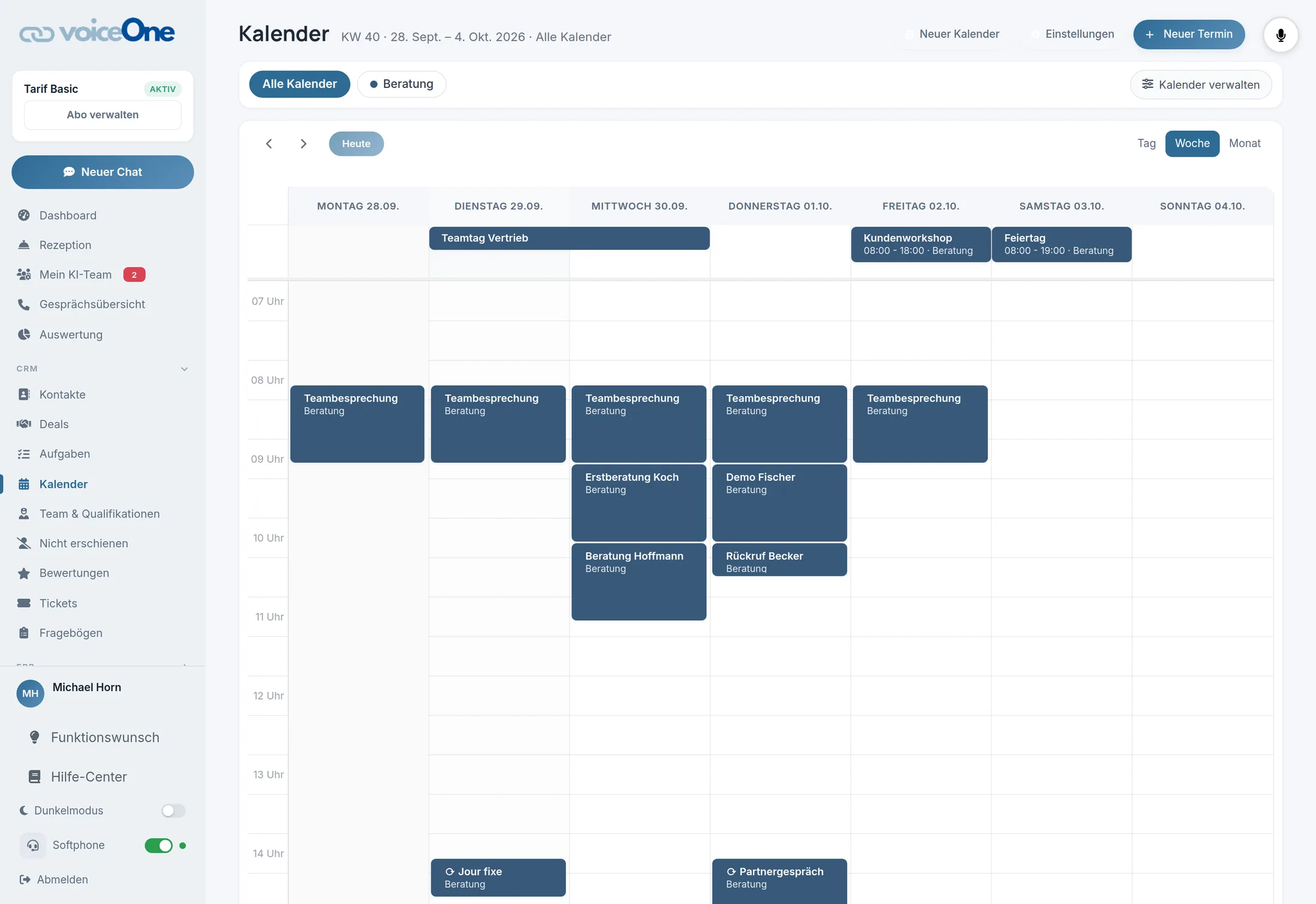
What does voiceOne look like in the application?
The presentation shows voiceOne in 16 chapters and just under three minutes: a call from answering to summary, then calendar, CRM, quotes and invoices, workflows, the mobile app, the AI team with tasks and approvals, and the data protection rules. It runs by itself and without sound, with screenshots of the application and invented example data.
Loading presentation …
Click a chapter to jump there. Pause and full screen at the bottom right of the presentation. Open in its own window →
What happens after the call?
With voiceOne the work does not end with the call. Afterwards the caller is in the CRM with their request and a call summary, and the appointment is in the calendar. From the same case you create quote and invoice, also as an e-invoice, or have the AI team prepare them. The accounts go to your tax advisor via DATEV export. Nothing is typed up or transferred from one program to the next.
- CallAnswering, information, forwarding
- ContactCaller and request in the CRM
- Appointmentin the free slots of your calendar
- Quotefrom the case, without re-entry
- Invoicealso as e-invoice and XRechnung
- AccountingReceipts and DATEV export
Connected
Each program keeps its own data. Interfaces transfer between them.
Built in – how voiceOne works
One set of data. The case runs from the call to the accounts. You can still connect calendars in Google, Outlook, via CalDAV or in eTermin.
What does the AI team do – and what not without you?
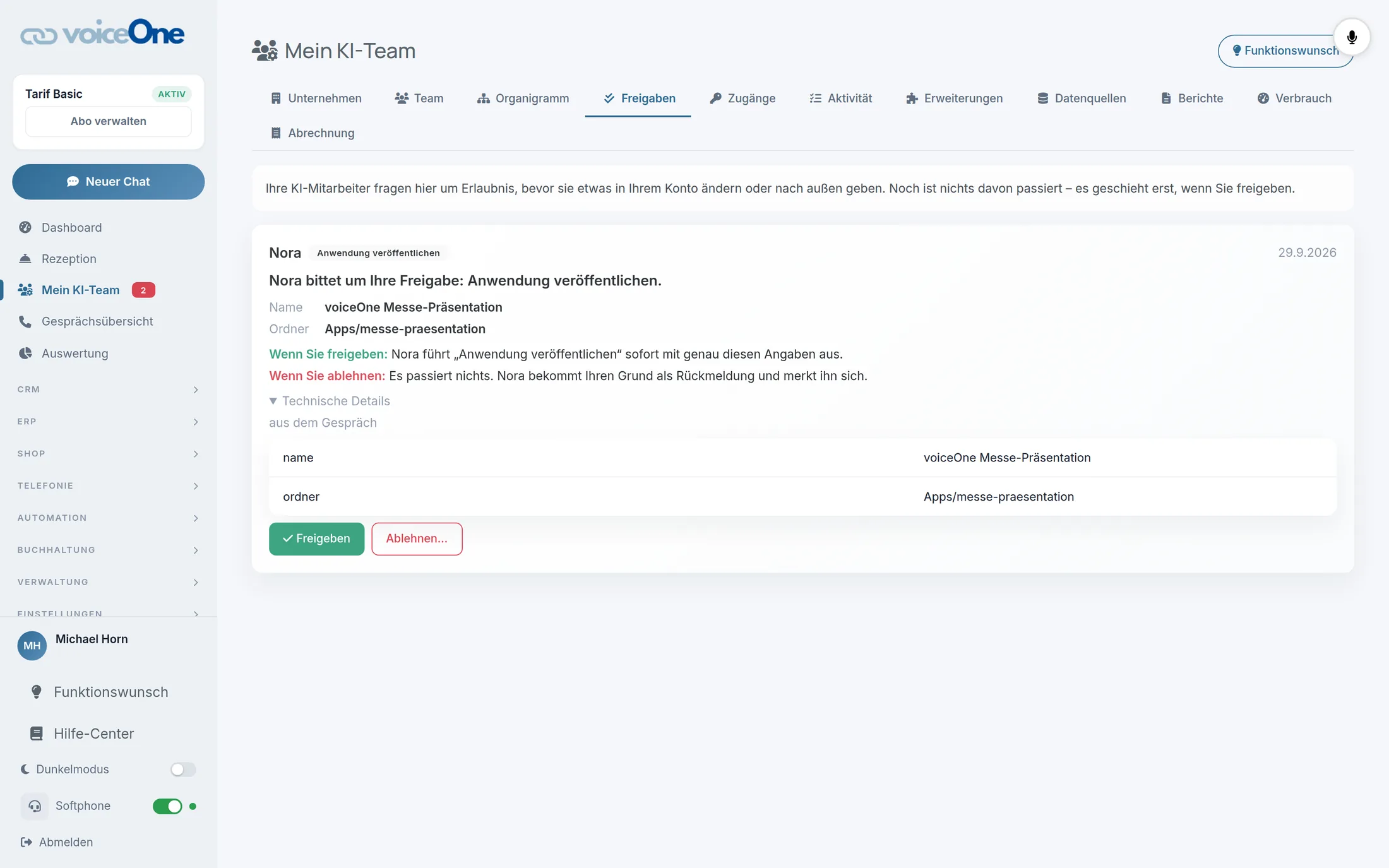
Alongside the phone assistant, voiceOne has an AI team in fixed roles for office, sales, marketing, technology and compliance. You give it tasks in conversation. Anything that goes out or costs money – emails, text messages, invoices, advertising budget, publications – the team puts to you for approval first. If you decline, nothing happens.
- Office
- Sales
- Marketing
- Technology
- Compliance
Send the quote for the case “Water damage, ceiling” to the caller
prepared by the AI team · Office
Try it out. Nothing goes out in this example.
What does the AI phone assistant sound like on the phone?
The easiest way is to call: at +49 951 16092950 the voiceOne assistant answers itself, just as it would answer for you. You can also have it call you. If you prefer to listen, below are three staged example calls.
Prefer to be called?
Enter your number and the assistant will call you.
Trade business
Heating emergencyPhysiotherapy
Appointment bookingRestaurant
Table reservation
Staged calls with invented data.
Which businesses is voiceOne suited to?
voiceOne is built for businesses that receive many calls and have nobody permanently on the phone: practices, trade businesses, law firms and service providers. Private individuals are not the target group. For medical and therapy practices there is a separate edition, mediOne, with prescriptions, repeat prescription requests and patient appointments.
- 07:58
Trade businesses
Emergency: water through the ceilingAppointment · Quote - 08:12
Physiotherapy practices
mediOneAppointment for a prescriptionAppointment · Callback - 08:40
Medical practices
mediOneRepeat prescription requestNote · Callback - 09:05
Dental practices
mediOneReschedule an appointmentNew appointment - 09:30
Law firms
Initial consultation requestedAppointment · Case - 10:05
Hair salons
Saturday, cut and colourAppointment - 11:20
Tax advisors
Question about missing documentsCallback · Note - 12:45
Real estate
Request a viewingAppointment
Examples with invented requests. Every row leads to the page for that industry.
How does voiceOne handle call data?
Call content is confidential, especially in practices and law firms. That is why you will find no seals here, but the rules voiceOne works by.
- No training on your calls
- Our customers’ call data is not used to train language or AI models. This also applies to the model providers used.
- Fixed deletion periods
- Audio files are deleted after 30 days, transcripts after 180 days.
- Data protection filter per assistant
- At the “Replace” level, the language model receives IBAN, credit card number, date of birth, health insurance number and login credentials only as placeholders. Calendar and CRM keep the real value. The filter is available with selected language models.
- Data processing
- You find the data processing agreement in the application under Profile.
As of
More on data protection with the AI phone assistant →How do I set up voiceOne?
You set up voiceOne yourself. All you need is the knowledge about your business, access to your calendar and a phone number. Setup takes five steps.
Create an account
Register your business. Nothing is charged when you sign up.
Store your knowledge
Opening hours, services and frequent questions. The assistant answers from these.
Connect your calendar
Google, Outlook, CalDAV or eTermin – or use the calendar in voiceOne.
Set up the number
A new number in voiceOne or your existing number via call forwarding.
Test call
Call yourself and hear how the assistant answers.
voiceOne at a glance
| Provider | voiceOne UG, Hinterer Graben 10, 96047 Bamberg, Germany |
|---|---|
| Product type | Software you rent (SaaS). Not a call centre and not an agency: you run the assistant yourself. |
| For whom | Small and medium-sized businesses in Germany, Austria and Switzerland, with a focus on practices, trades, law firms and service providers. Not for private individuals. |
| Telephony | AI phone assistant with its own phone numbers: answering, information, appointment booking, callbacks, forwarding. Call summary after every call. |
| In the same system | CRM with contacts and cases, calendar, quotes, invoices, e-invoicing and XRechnung, accounting with DATEV export and receipt scanner, review management |
| Further channels | AI email agent, outbound campaigns, mobile app |
| Calendar connection | Google, Outlook, CalDAV, eTermin |
| AI team | Assistant roles for office, sales, marketing, technology and compliance. Anything that goes out or costs money is put to you for approval first. |
| Brands | voiceOne (all industries), mediOne (medical and therapy practices), coachOne (coaches and trainers), clipOne (video and content) – on one technical platform |
| For partners | White-label for resellers |
| Data protection | No training on call data. Audio files 30 days, transcripts 180 days. Data processing agreement in the application. |
| Website languages | German, English, Spanish, French, Italian, Arabic |
| Contact | +49 951 16092950 · info@voice-one.ai |
Frequently asked questions about the AI phone assistant
What is an AI phone assistant?
An AI phone assistant is software that answers calls by itself and responds in conversation instead of just playing an announcement. It answers questions with the knowledge the business has stored, books appointments into the calendar and puts callers through when a person is needed. After every call there is a summary.
What makes voiceOne different from a plain phone assistant?
voiceOne contains calendar, CRM, quotes, invoices and accounting with DATEV export itself instead of just connecting to them. A call therefore becomes a contact, an appointment and finally an invoice without transfers between programs. If you keep your calendar in Google, Outlook, via CalDAV or in eTermin, you can still connect it.
Is voiceOne a call centre?
No. voiceOne is software you rent. Nobody from our side sits at your phone: you set up the assistant yourself and keep control of the settings.
Can the assistant put callers through to a person?
Yes. The assistant puts the call through when a person is needed. You decide when that is during setup. If nobody is available, it records the request and organises a callback.
Are my calls used to train AI models?
No. Our customers’ call data is not used to train language or AI models, not even by the model providers used. Audio files are deleted after 30 days, transcripts after 180 days.
Can I try voiceOne for free?
Yes. Nothing is charged when you sign up; the first payment is only due after the free initial phase.
Is there a voiceOne edition for medical and therapy practices?
Yes. mediOne is the edition of voiceOne for practices, with prescriptions, repeat prescription requests and patient appointments. Both brands run on the same technical platform.
Who is voiceOne not intended for?
voiceOne sells to businesses, not to private individuals. If you are looking for people who make calls on your behalf, a telephone answering service or call centre is the right choice – voiceOne is software you run yourself.
voiceOne. Your AI team.On the phone and in the office.